
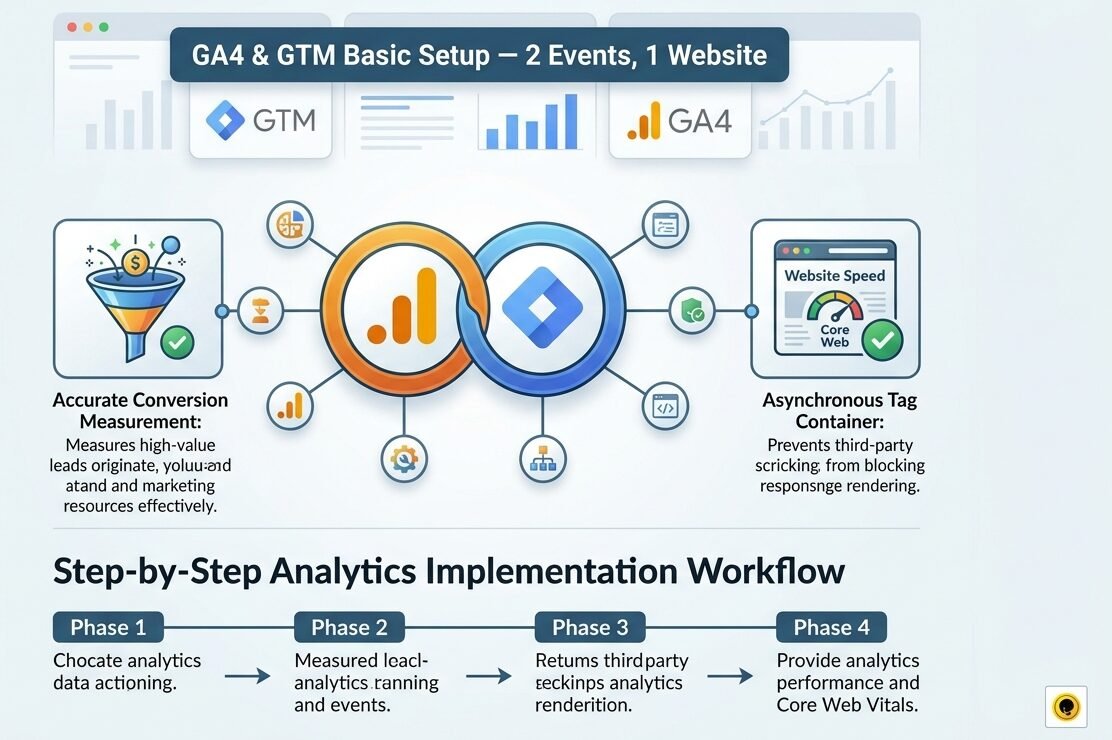
GA4 & GTM Basic Setup (2 Events, 1 Website): Conversion Tracking & Analytics Blueprint
GA4 & GTM Basic Setup (2 Events, 1 Website) is a specialized analytics implementation package engineered to establish clean, reliable, and compliant data tracking for your web portal. Operating a WordPress website or WooCommerce store without properly configured Google Analytics 4 (GA4) and Google Tag Manager (GTM) leaves you blind to user behavior, traffic acquisition sources, and conversion performance. Generic analytics scripts often fail to capture critical user interactions—such as form submissions, button clicks, or phone calls—making it difficult to evaluate marketing return on investment (ROI).
Whether you manage an agency portfolio, a lead generation website, or a local service business, our GA4 & GTM Basic Setup (2 Events, 1 Website) package provides a clean, asynchronous tag container setup and configures two primary conversion events tailored to your business goals.
Why Google Analytics 4 & Tag Manager Integration is Essential
Google Analytics 4 uses an event-based data model designed to track complex user journeys across multiple devices. Deploying GA4 directly through Google Tag Manager ensures your website loads faster, eliminates code bloat, and provides an organized framework for managing marketing scripts without modifying underlying theme files.
Key Business & Technical Benefits
-
Accurate Conversion Measurement: Pinpoints exactly where your high-value leads originate, helping you allocate ad spend and marketing resources effectively.
-
Asynchronous Tag Container: Loading Google tags via GTM prevents third-party tracking scripts from blocking page rendering, preserving your site speed and Core Web Vitals.
-
Custom Event Architecture: Tracks up to two specific business actions (such as contact form completions, WhatsApp button clicks, or PDF downloads) directly within GA4 reports.
-
Clean Data Filtering: Configures internal traffic filters (blocking team IP addresses) to prevent skewing conversion metrics and reporting data.
-
Future-Proof Analytics Foundation: Establishes a scalable GTM container framework that makes adding future marketing pixels (Meta Pixel, Google Ads Conversion Tags) seamless.
What is Included in Your GA4 & GTM Setup Package?
Our fixed-scope analytics package covers every foundational setup step necessary to ensure accurate reporting across a single website domain:
| Setup Component | Configuration & Technical Scope | Business Value Delivered |
| GTM Container Installation | Creation and asynchronous installation of Google Tag Manager code snippets | Clean, centralized tag management without theme file edits |
| GA4 Property Configuration | Baseline GA4 setup, web data stream configuration, and enhanced measurement tuning | Reliable measurement of pageviews, scroll depth, and outbound clicks |
| 2 Custom Event Triggers | Configuration of 2 key conversion events (e.g., Lead Form Submit & Phone Click) | Direct measurement of high-intent user interactions in GA4 |
| Internal IP Filter Setup | Setup of data filters to exclude internal team visits from live analytics | Clean, unpolluted traffic statistics and conversion rates |
| Container Quality Assurance | Debugging and verification via GTM Preview Mode and GA4 DebugView | Confirms 100% data transmission accuracy before going live |
Step-by-Step Analytics Implementation Workflow
Our agency follows a structured 4-phase technical workflow to deploy and test your GA4 and GTM environment:
[Phase 1: Discovery & Event Definition] ──> [Phase 2: GTM Container & GA4 Setup] ──> [Phase 3: Event Trigger Engineering] ──> [Phase 4: Debugging & QA Testing]
Phase 1: Discovery & Event Definition
We consult with you to identify the 2 most critical conversion actions on your website (such as Forminator form submissions, appointment bookings, or contact button clicks).
Phase 2: GTM Container & GA4 Property Setup
We configure your Google Tag Manager container and embed the script headers onto your WordPress theme via clean hooks or lightweight plugins. We establish your GA4 data stream and configure session timeouts and data retention windows.
Phase 3: Event Trigger & Tag Engineering
Within GTM, we build custom tags, triggers, and variables to capture your two selected interactions and send formatted event parameters directly into your GA4 reporting interface.
Phase 4: Debugging & Quality Assurance
We run live diagnostic simulations using GTM Preview Mode and GA4 DebugView to verify that tags fire correctly upon user interaction without duplicate event triggers.
Common Analytics Setup Mistakes to Avoid
When implementing web analytics, business owners and inexperienced developers often make technical mistakes that distort traffic reports. Here are key errors our GA4 & GTM basic setup 2 events, 1 website package prevents:
-
Installing Duplicate Analytics Scripts: Hardcoding tracking scripts into theme files while simultaneously firing tags via GTM causes double-counted pageviews and artificially low bounce rates.
-
Relying Solely on Auto-Enhanced Measurement: Depending exclusively on default GA4 auto-tracking often misses custom form plugin submissions and dynamic AJAX events.
-
Ignoring Internal Traffic Filters: Failing to filter out internal developer and employee traffic leads to inflated pageview metrics and false user engagement data.
-
Unverified Tag Deployment: Publishing GTM container changes without live Preview Mode testing often results in broken tags and lost conversion tracking.
For official documentation regarding web analytics measurement standards, event parameters, and data protection guidelines, consult official resources on Google Search Central Analytics Documentation.
Frequently Asked Questions (FAQs)
Which two custom events can I choose for tracking?
You can choose any two measurable user interactions on your website. Popular choices include Forminator/Contact Form 7 submissions, click-to-call phone button clicks, WhatsApp link taps, or specific document downloads.
Will adding GTM and GA4 slow down my WordPress site?
No. Google Tag Manager uses asynchronous script loading, meaning tracking tags execute in the background without delaying the visual rendering of your page content.
Do I need to provide access to my Google account?
You can grant user permissions to our agency email address within Google Tag Manager and Google Analytics 4, allowing us to complete the setup securely without sharing your account password.
Explore Our Complementary Digital Growth Packages
Combine your analytics setup with our other specialized agency packages to build a complete, high-converting digital platform:
-
Services Hub: Browse our full directory of web development, design, and SEO optimization packages.
-
Analytics & Growth Services: Comprehensive conversion tracking, funnel visualization, and custom dashboard reporting.
-
On-Page SEO Services: Complete multi-page search engine optimization, content structuring, and meta updates.
-
Technical SEO Services: Site speed enhancements, crawl budget optimization, and canonical tag audits.
-
Website Services: Custom WordPress development, Elementor Pro layouts, and speed optimization.
-
WordPress Error Fixing: Rapid resolution for site crashes, broken layout templates, and plugin conflict errors.




Reviews
There are no reviews yet.